Overview
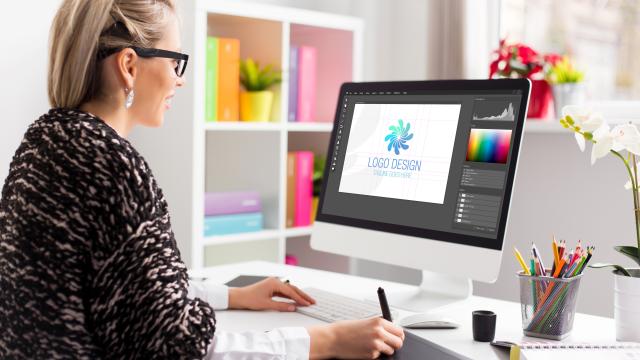
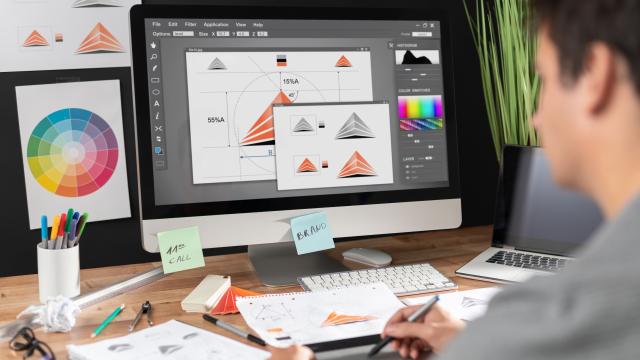
In the fast-paced world of visual design, mastering Adobe software is a necessity. Our Adobe Certified Professional in Visual Design course focuses on equipping you with comprehensive training in three key tools: Photoshop, Illustrator, and InDesign. For those interested in certification, the course also prepares you for the relevant Adobe certification exams.
This graphic design course employs a multi-faceted learning approach, including short explanations and demonstrations, hands-on exercises, video reviews, and quizzes. Each module is designed to offer you a comprehensive understanding of the software, covering both foundational elements and the nuanced specifics that could appear on the certification exams.
Our graphic design certification course features a selection of independent projects that allow you to apply and reinforce what you have learned while producing tangible outcomes for your professional portfolio. For instance, you can use Photoshop to create a branding package or digital magazine cover, Illustrator to design a logo or infographic, and InDesign to craft a brochure or business report.
These hands-on projects serve a dual purpose: they deepen your understanding of Photoshop, Illustrator, and InDesign, and provide you with practical experience that is directly applicable in professional settings. Whether you're aiming for a career in graphic design, marketing, or any field requiring visual design expertise, this course offers a structured learning path. The course also includes a voucher for the Adobe certification exams, allowing you to officially validate your skills.
By the end of this online visual design certification course, you will be proficient in Photoshop, Illustrator, and InDesign—with a portfolio to back it up. Equip yourself with the tools and experience to excel in the visual design industry with our Adobe Certified Professional in Visual Design course.
This graphic design course employs a multi-faceted learning approach, including short explanations and demonstrations, hands-on exercises, video reviews, and quizzes. Each module is designed to offer you a comprehensive understanding of the software, covering both foundational elements and the nuanced specifics that could appear on the certification exams.
Our graphic design certification course features a selection of independent projects that allow you to apply and reinforce what you have learned while producing tangible outcomes for your professional portfolio. For instance, you can use Photoshop to create a branding package or digital magazine cover, Illustrator to design a logo or infographic, and InDesign to craft a brochure or business report.
These hands-on projects serve a dual purpose: they deepen your understanding of Photoshop, Illustrator, and InDesign, and provide you with practical experience that is directly applicable in professional settings. Whether you're aiming for a career in graphic design, marketing, or any field requiring visual design expertise, this course offers a structured learning path. The course also includes a voucher for the Adobe certification exams, allowing you to officially validate your skills.
By the end of this online visual design certification course, you will be proficient in Photoshop, Illustrator, and InDesign—with a portfolio to back it up. Equip yourself with the tools and experience to excel in the visual design industry with our Adobe Certified Professional in Visual Design course.
- Voucher Included: Yes
- Course ID: GES3049
- Total Hours: 180
- Format: Asynchronous/Self-Paced
- Location: Online
- Schedule: 6 Months
- Credit(s) Earned: 18 CEU
- Instructor: Ed2go
- Cost: $2,550.00
- Category: Arts/Media

Prerequisites:
There are no prerequisites to take this course. However, you must have familiarity with using a personal computer and in a Windows environment. You must also be able to launch and close programs, navigate to information stored on the computer, and manage files and folders.
Requirements:
Hardware Requirements:
This course can be taken on either a PC or Mac. Chromebooks are not compatible.
Software Requirements:
PC: Windows 10 or later.
Mac: macOS 12 or later.
Browser: The latest version of Google Chrome or Mozilla Firefox is preferred. Microsoft Edge and Safari are also compatible.
Adobe Photoshop (not included in enrollment)
Adobe Illustrator (not included in enrollment)
Adobe InDesign (not included in enrollment)
Software must be installed and fully operational before the course begins.
Other:
Email capabilities and access to a personal email account.
Instructional Material Requirements:
The instructional materials required for this course are included in enrollment and will be available online.

What You Will Learn
Gain a comprehensive understanding of key Adobe tools for visual design: Photoshop, Illustrator, and InDesign
Acquire foundational and advanced Photoshop, Illustrator, and InDesign skills, preparing you for potential certification exams
Complete a series of hands-on, independent projects that allow you to apply your newly acquired skills in real-world visual design scenarios
Learn how to create various types of graphic and layout media, such as branding packages, digital magazine covers, and business reports
Understand the principles of graphic design, layout, and typography to enhance both the aesthetic and functional aspects of your visual design projects
Program Outcomes
Equip yourself with specialized skills in visual design that open doors to a rewarding career in the rapidly growing graphic design and marketing fields
Build a robust portfolio focused on visual design through hands-on projects, showcasing your skills to potential employers or clients
Gain practical experience in visual design that prepares you for the challenges you will face in your creative career
Keep up-to-date with the latest trends, tools, and best practices in visual design and Adobe software
Have the option to validate your visual design skills officially through Adobe certification exams, with a course voucher included